Introduction
Service Based Printers is a new Tricerat product introduced with v6.2.0. The goal of Service Based Printers is to provide customers a way to use Simplify Printing techniques to virtualize printers on a machine where an application expects and requires predictable and unchanging printer names. This document describes the overall installation workflow.
Installation Dialogs
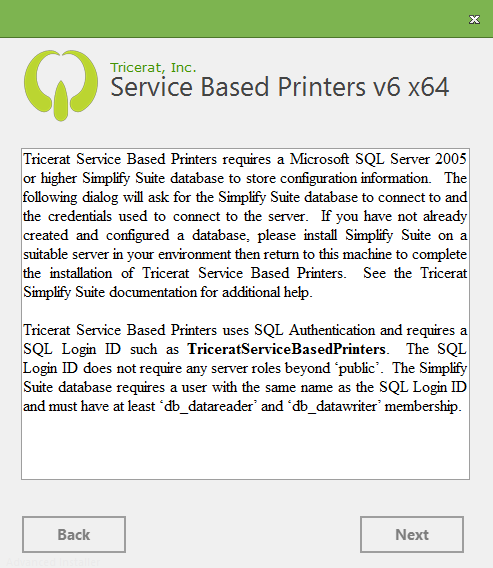
Similar to the ScrewDrivers Client, there is only one feature in Service Based printers so the 'Optional Features' dialog included with Simplify Suite installations is not present. Similar to the ScrewDrivers Print Server product, there is a database requirement. The standard Tricerat SQL credentials dialog is presented. Because Service Based Printers interacts with the SQL database as a service, Tricerat only supports SQL Authentication to connect to the database. Similar to the ScrewDrivers Server product, there is a licensing requirement. The standard Tricerat LM-X license dialog is presented.
Language Selection
The standard Tricerat language choice selection dialog is presented:
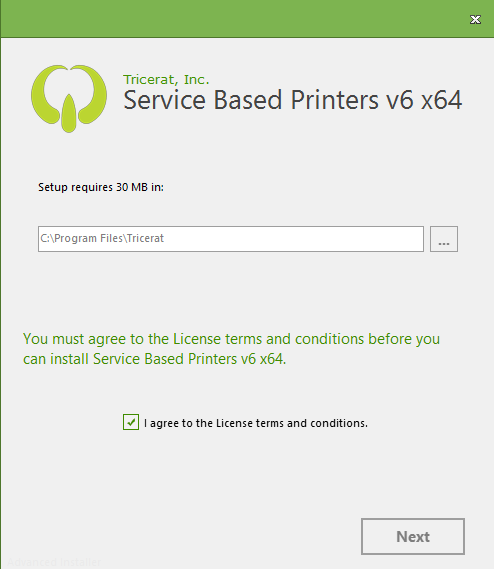 The installer display the storage required to complete the installation.
Customers can choose the suggested destination folder, enter a different destination, or use the browse button ("…") to navigate to a destination folder.
The Tricerat License Agreement is available via hypertext by clicking on "You must agree…".
The customer must agree to the license terms by clicking the "I agree…" checkbox to continue the installation.
The installer display the storage required to complete the installation.
Customers can choose the suggested destination folder, enter a different destination, or use the browse button ("…") to navigate to a destination folder.
The Tricerat License Agreement is available via hypertext by clicking on "You must agree…".
The customer must agree to the license terms by clicking the "I agree…" checkbox to continue the installation.
Licensing Dialog
The standard Tricerat licensing dialog is presented:
SQL Database Credentials Dialog
The standard Tricerat SQL Server database credentials dialog is presented:
 Customers can click the Back button to change their installation preferences or click Next to continue.
Progress Dialog
The standard Tricerat installation progress dialog is presented:
 If the installation did not complete successfully, the customer must collect the contents of the
 C:\ProgramData\Tricerat\Logs folder and collect the Windows Installer log file before ending the installation. (Please see Troubleshooting Failed Installs for guidance in that situation.)
Using Service-Based Printers
For the service to build printer queues, the administrator must assign printers to the server. This is done in the Simplify Console by assigning a printer to an owner with the server name under the custom owners ("Computers") tree. The assignment must be to a custom-created owner, and not the owner in the Active Directory tree.
- Page: